How to Translate PNG Images
Learn how to translate PNG images while preserving transparency, layout, and design integrity using AI-powered localization workflows.

Contributors

Subscribe to our newsletter
Introduction
The first time I had to localize a PNG banner for a global product launch, I genuinely thought it would be easier than a JPG. PNG files support transparency and high image quality, so I assumed translation would be straightforward.
But the moment I opened the file, reality hit.
The text was flattened into the image. No layers. No editable text. Just pixels. I found myself zooming in at 400% trying to erase text carefully without damaging the background.
PNG (Portable Network Graphics) was introduced in the mid-1990s as a better alternative to GIF. It offers high-quality compression and transparency support, making it popular for web graphics and marketing creatives.
However, when text is embedded inside a PNG, the same challenge appears: the text becomes part of the image.
So when I talk about how to translate PNG images, I’m talking about extracting text intelligently, preserving transparency, maintaining layout integrity, and keeping the brand identity intact across languages.
How to Translate PNG Images
If you’ve ever wondered how to translate a PNG image without rebuilding the entire design, the answer lies in using the right workflow.
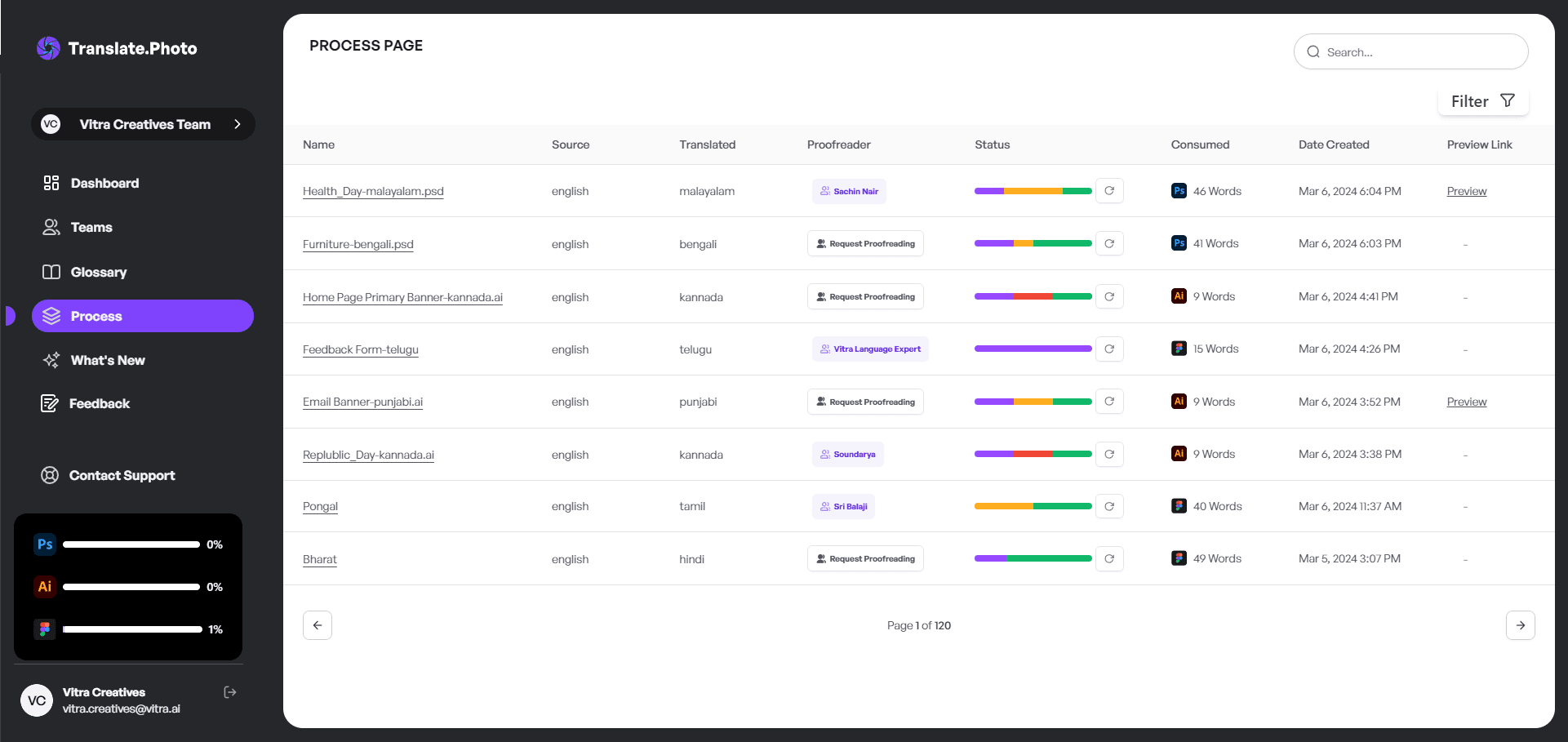
Here is the process I typically follow using Translate.photo:
- Upload the PNG image
- Detect text automatically using OCR
- Translate the text into the target language
- Replace the text while preserving layout and transparency
- Review and export the final image
With automation, what used to take hours can now take minutes.
Why PNG Files Are Tricky to Translate
PNG files are raster images, meaning text is not stored as editable content.
Instead, it is embedded as pixels inside the image.
This creates several challenges:
- No editable text layers
- Transparent backgrounds that must remain intact
- Text overlapping graphics
- Complex gradients or textures behind typography
For example, removing white text from a gradient PNG background manually can easily damage the visual quality.
Understanding PNG Translation
When I explain PNG translation to teams, I usually start with a simple comparison.
| File Type | Editable Text | Transparency Support | Ideal for Translation |
|---|---|---|---|
| PNG | ❌ No | ✅ Yes | With AI tools |
| JPG | ❌ No | ❌ No | With AI tools |
| PSD / AI | ✅ Yes | ✅ Yes | Ideal |
Because PNG files do not contain editable text, translation requires OCR (Optical Character Recognition) to detect and extract the text before translating it.
Without OCR, translation becomes a manual redesign task.
Step-by-Step Guide: How to Translate PNG Images
Step 1: Upload Your PNG
Upload your PNG image into an image translation platform such as Translate.photo.
No design software is required.
Step 2: OCR Text Detection
The system scans the image and identifies text regions using OCR technology.
Step 3: Select Target Language
Choose the language you want to translate the image into.
The platform may support dozens of languages including Spanish, French, Arabic, and Japanese.
Step 4: Automatic Translation
The detected text is translated automatically while keeping the original layout aligned.
Step 5: Review and Adjust
Even with automation, reviewing the translation ensures the tone and spacing remain appropriate.
How to Translate PNG Images Without Losing Transparency
Transparency is one of the biggest advantages of PNG images.
When translating PNG visuals, I always ensure:
- The background remains transparent
- No white patches appear behind text
- Shadow and glow effects remain intact
- Layer blending looks natural
Maintaining transparency is essential for designs used on websites, product pages, or overlays.
Real-World Example
Original banner text:
New Collection Available Now
French translation:
Nouvelle Collection Disponible Maintenant
The translated version is longer, which means spacing and layout adjustments may be required to maintain visual balance.
Common Challenges When Translating PNG Images
Text Expansion
Some languages expand significantly compared to English.
German translations can expand by 30% or more.
Font Compatibility
Certain fonts do not support accented characters or non-Latin scripts.
Right-to-Left Languages
Languages such as Arabic or Hebrew require RTL alignment, which changes layout orientation.
Language Expansion Reference
| Language | Average Expansion |
|---|---|
| Spanish | +15% |
| German | +30% |
| French | +20% |
| Arabic | Variable (RTL) |
| Japanese | -10% |
Planning for expansion during design prevents layout issues later.
Who Needs PNG Image Translation?
Many industries rely on localized image content.
Examples include:
- E-commerce companies
- SaaS businesses
- FinTech platforms
- Travel brands
- EdTech companies
- FMCG marketers
If your campaigns target international markets, localized visuals become essential.
Manual vs AI Translation for PNG Images
| Method | Speed | Layout Preservation | Scalability |
|---|---|---|---|
| Manual Photoshop Editing | Slow | Medium | Low |
| Free OCR Tool + Manual Edit | Medium | Low | Medium |
| Translate.photo | Fast | High | High |
Manual workflows may work for a few images, but automation becomes necessary when dealing with large campaigns.
How to Translate PNG Images at Scale
When working on global campaigns with hundreds of creatives, scalability becomes critical.
Typical scalable workflows include:
- Bulk image uploads
- Translation memory
- Centralized glossaries
- Batch exports
This approach helps maintain consistency across markets.
Maintaining Brand Voice Across Languages
To keep messaging consistent across countries, I usually store:
- Brand taglines
- Product names
- Industry terminology
- Legal disclaimers
Translation memory ensures the same phrases are translated consistently across campaigns.
How to Translate PNG Images for Social Media
Social media campaigns move quickly and require fast localization.
My typical workflow includes:
- Translating the master creative
- Resizing for different platforms
- Checking mobile readability
- Exporting optimized variations
This ensures consistent messaging across Instagram, Facebook, and LinkedIn.
Cultural Nuance Matters
Literal translation does not always communicate the intended message.
For example:
English phrase: Crush Your Goals
In some languages, a literal translation might sound aggressive or unnatural.
Localization means adapting tone and meaning, not just words.
Advanced Tips for Translating PNG Images
Here are a few best practices I follow:
- Leave extra padding around text
- Avoid overly tight layouts
- Use fonts with strong language support
- Always preview on mobile devices
- Test RTL languages before final export
These small adjustments greatly improve localization quality.
Frequently Asked Questions
Can I translate PNG images for free?
Yes, but free tools may struggle to maintain formatting and layout accuracy.
Does Translate.photo preserve transparency?
Yes. The background remains intact while the text is replaced.
Is manual editing still required?
Sometimes, especially for complex visuals, but far less than traditional manual workflows.
How to Translate PNG Images Efficiently
Efficiency is not just about speed.
It is about reducing repetitive work.
When OCR, translation, and layout preservation are automated, teams can focus on strategy and creative messaging instead of manual editing.
How to Translate PNG Images for Global Campaigns
For international marketing campaigns, I standardize several elements:
- Tone guidelines
- Brand glossary
- Layout grids
- Spacing margins
This ensures every localized PNG feels native to its audience.
How to Translate PNG Images the Smart Way
When I first started working with image localization, I assumed translation was purely technical.
Now I know it is much more than that.
Translating PNG images requires balancing language, design, and cultural nuance. With the right tools and workflow, localization becomes faster, more scalable, and far more effective.
Instead of treating translation as a tedious task, it becomes a strategic advantage for global marketing.
Our blog
Lastest blog posts
Tool and strategies modern teams need to help their companies grow.

Image optimization
Balancing Image Quality and Load Speed for Portfolio Links
Learn how to balance high image quality and fast load speed for portfolio websites using smart compression, responsive images, and performance optimization techniques.

Image-optimization
How to Change Image Dimensions Without 'Squishing' Your Subject
Learn how to change image dimensions without distorting your subject by using proportional scaling, smart cropping, and canvas expansion techniques.

Image translation
How to Translate JPEG Images
Learn how to translate JPEG images accurately while preserving layout, brand tone, and design quality with a smarter AI-powered workflow.
Join Our Satisfied Clientele
- Global Reach, Local Impact
- Efficiency Redefined
- Optimized SEO, Elevated Traffic