How to Translate JPEG Images
Learn how to translate JPEG images accurately while preserving layout, brand tone, and design quality with a smarter AI-powered workflow.

Contributors

Subscribe to our newsletter
Introduction
I still remember the first time a client sent me a beautifully designed JPEG banner and said, “Can you translate this into Spanish by tomorrow?” Sounds simple, right? Not exactly. Unlike editable design files, JPEGs are flat images. The text is baked in, there are no editable layers, and there is no quick way to swap the copy without affecting the design. That was the moment I realized image translation is not just about language. It is about accuracy, layout, fonts, spacing, and keeping the visual identity intact.
Over time, the way we translate images has changed dramatically. What once required manual redesign in tools like Photoshop can now be handled with AI, OCR, automated text replacement, and smarter localization workflows. So when we talk about how to translate JPEG images, we are really talking about a process that combines language accuracy with design preservation and speed.
How to Translate JPEG Images
When people ask how to translate a JPEG image without rebuilding it from scratch, the answer is simple: use a workflow that handles both text and design together.
Translating JPEG images usually involves three key steps:
- Extracting text from the image using OCR
- Translating the extracted text into the target language
- Replacing the original text while keeping the layout visually balanced
It sounds easy in theory, but in practice, getting it right depends on the tools you use.
Why JPEG Images Are Hard to Translate
JPEG files are raster images, which means the text inside them is not stored as editable text. It exists only as pixels, blended into the image itself.
That creates a few common challenges:
- No editable text layers
- Fonts are flattened into the image
- Text often blends into backgrounds or graphics
- Longer translations can break spacing and alignment
For example, a short English phrase can expand significantly in German, Spanish, or French. That extra length can disrupt the entire design if the tool does not adjust properly.
The Evolution of Image Translation
From Manual Redesign to AI Automation
A few years ago, translating JPEG images meant opening the file in Photoshop, removing the original text manually, typing the translated version, and then fixing alignment issues by hand. That process worked, but it was slow, repetitive, and difficult to scale.
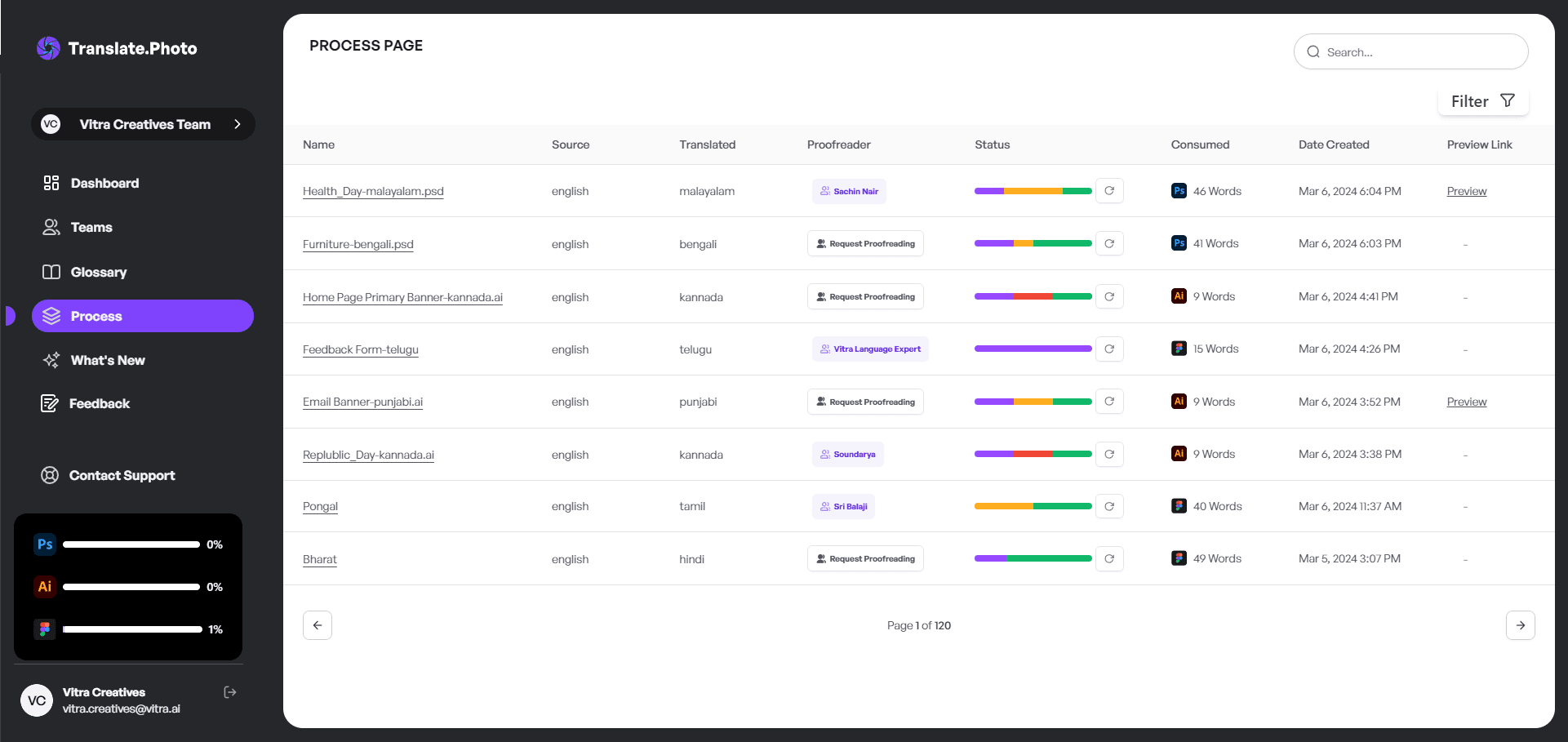
Today, AI-powered tools such as Translate.photo simplify that entire process. They combine OCR, translation, and layout preservation into one workflow, helping teams translate creatives faster without starting over every time.
Step-by-Step: How to Translate JPEG Images
Here is a simple workflow I follow when translating JPEG visuals.
Step 1: Upload the JPEG
Start by uploading the image into a platform that supports image translation.
Step 2: Detect the Text Automatically
The tool scans the image using OCR and identifies all visible text areas.
Step 3: Select the Target Language
Choose the language you want the image translated into.
Step 4: Translate the Text
The content is translated automatically, ideally with context-aware AI instead of word-for-word output.
Step 5: Review and Adjust
Always review the final version. Even the best automation benefits from a quick human check, especially when the layout is complex.
Tools You Can Use to Translate JPEG Images
There are several ways to translate JPEG images, but not all methods give the same result.
| Method | Speed | Accuracy | Design Preservation | Scalability |
|---|---|---|---|---|
| Manual Photoshop | Slow | High | Medium | Low |
| Free OCR Tools | Medium | Medium | Low | Medium |
| Translate.photo | Fast | High | High | High |
If you are translating one image occasionally, manual editing may work. But if you need to localize dozens of creatives across multiple markets, automation becomes the practical choice.
Common Challenges in Translating JPEG Images
Even with a good process, a few issues show up often.
Text Expansion
Some languages naturally take more space than English. A short headline can become much longer after translation.
Font Compatibility
Not every font supports every script. This becomes especially important for languages like Arabic, Hindi, Japanese, or Tamil.
Layout Breakage
If the translated text wraps unexpectedly or changes the balance of the image, the visual quality suffers.
How to Maintain Design Integrity
Whenever I translate JPEG images, I make sure to check a few things before exporting:
- Alignment
- Font consistency
- Color contrast
- Text readability
- Spacing balance
Because a translated image should still feel like the same campaign, just adapted for a different audience.
Real-World Example
Take this English retail banner:
Flat 50% Off – Limited Time
Now translate it into Spanish:
50% de Descuento – Tiempo Limitado
The message stays the same, but the line becomes longer. That is exactly why image translation tools need to handle resizing, spacing, and visual hierarchy carefully.
Benefits of Translating JPEG Images Properly
Once you build the right workflow, the benefits are hard to ignore.
- Faster global campaign launches
- Lower design and localization costs
- More consistent brand messaging
- Better engagement in regional markets
- Stronger conversion potential
Localized visuals often perform better simply because people connect faster with content in their own language.
Who Needs JPEG Image Translation?
Honestly, almost any business with multilingual customers can benefit from it.
- E-commerce brands
- SaaS companies
- FMCG brands
- Travel businesses
- FinTech platforms
- Global marketing teams
If your campaigns reach more than one market, image localization becomes essential.
Translate.photo Workflow Explained
The workflow is straightforward:
- Upload
- Detect
- Translate
- Review
- Export
That is what makes image translation manageable at scale.
How to Translate JPEG Images Without Losing Brand Voice
Translation is not only about accuracy. It is also about consistency.
That is where translation memory and glossaries become useful. They help preserve:
- Product names
- Brand taglines
- Approved terminology
- Industry-specific language
This keeps every visual aligned with your brand, even across different regions and campaigns.
SEO and Engagement Impact of Localized Images
Localized visuals can improve user engagement because audiences respond more positively to content that feels native to them. When people understand the visual message instantly, they are more likely to stay, explore, and convert.
For multilingual campaigns, translating the visual itself often matters just as much as translating the landing page.
How to Translate JPEG Images at Scale
If you are managing hundreds of creatives for multiple regions, manual editing is simply not practical.
A scalable workflow usually includes:
- Bulk upload
- Batch translation
- Shared glossaries
- Proofreading review
- Fast export for multiple markets
That is what saves time and avoids repetitive manual effort.
Tips I Swear By
Here are a few things I always keep in mind:
- Always proofread before final export
- Use a glossary for brand consistency
- Check mobile readability
- Watch for spacing issues
- Review font support for each language
These small checks prevent bigger problems later.
Advanced Features to Look For
If you are choosing a tool for JPEG image translation, these are the features worth prioritizing:
- Strong OCR accuracy
- Multi-language support
- Layout preservation
- Glossary and translation memory
- Team collaboration
- Flexible export options
A good tool should reduce design work, not create more of it.
Language Expansion Reference
Different languages occupy different amounts of space. Knowing this in advance helps avoid layout issues.
| Language | Avg Expansion % |
|---|---|
| Spanish | +15% |
| German | +30% |
| French | +20% |
| Japanese | -10% |
This matters a lot when translating banners, ads, packaging, or social media creatives.
How to Translate JPEG Images for Social Media Campaigns
Social content moves fast, which means the translation workflow needs to be fast too.
A smart process lets you translate the master creative once and then adapt it for different sizes and channels such as Instagram, Facebook, and LinkedIn without rebuilding everything again.
Common Mistakes to Avoid
There are a few mistakes I see often when teams translate JPEG images:
- Ignoring cultural context
- Using overly literal translations
- Not adjusting font size
- Forgetting right-to-left layout rules
- Skipping the final visual review
Even a good translation can fail if the design no longer feels natural.
Why Automation Beats Manual Work
Manual editing still has its place, but for most teams, it is too slow and resource-heavy for ongoing campaigns.
Automation helps reduce repetitive work, speed up localization, and free up time for strategy, review, and campaign planning. Instead of spending hours nudging text boxes, teams can focus on building stronger global content.
How to Translate JPEG Images for Global Campaigns
For international campaigns, consistency is everything. I like to standardize these four things before scaling:
- Glossary
- Tone guide
- Brand voice
- Visual hierarchy
That way, every localized image feels intentional, polished, and market-ready.
Conclusion
If there is one thing I have learned, it is this: translating JPEG images is not just a technical task. It is a design and branding task too.
The smartest approach is to use a workflow that handles text extraction, translation, and visual preservation together. When done right, JPEG image translation helps brands move faster, stay consistent, and create localized visuals that feel natural in every market.
That is exactly why automation has become the better way to do it.
Frequently Asked Questions (FAQs)
Q1: Can I translate JPEG images for free?
Yes, but free tools often compromise formatting, layout, or accuracy.
Q2: Can AI preserve the original design?
Advanced tools can preserve much of the layout and visual structure, though some review is still recommended.
Q3: Do I still need manual editing?
Sometimes, especially for complex creatives or languages with major text expansion.
Q4: Why are JPEG images harder to translate than design files?
Because JPEGs are flat raster images, so the text is not editable and must first be detected and replaced.
Q5: What is the fastest way to translate multiple JPEG creatives?
Using a tool that supports OCR, batch translation, and layout-aware text replacement is the fastest option.
Our blog
Lastest blog posts
Tool and strategies modern teams need to help their companies grow.

Image optimization
Balancing Image Quality and Load Speed for Portfolio Links
Learn how to balance high image quality and fast load speed for portfolio websites using smart compression, responsive images, and performance optimization techniques.

Image-optimization
How to Change Image Dimensions Without 'Squishing' Your Subject
Learn how to change image dimensions without distorting your subject by using proportional scaling, smart cropping, and canvas expansion techniques.
Image translation
How to Translate JPEG Images
Learn how to translate JPEG images accurately while preserving layout, brand tone, and design quality with a smarter AI-powered workflow.
Join Our Satisfied Clientele
- Global Reach, Local Impact
- Efficiency Redefined
- Optimized SEO, Elevated Traffic